
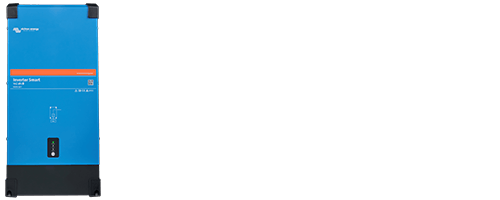
Victron Inverter 12/2k5 230V Smart – Pure Sine Wave Inverter with Bluetooth for 12V Battery Systems
2400W Continuous Power | 4000W Peak Power | Pure Sine Wave | Bluetooth & VictronConnect | ECO Mode | VE.Direct
The Victron Inverter 12/2k5 230V Smart is the successor to the proven Phoenix Inverter 12/2000 230V Smart. With a higher continuous output power of 2400W and a peak power of 4000W for 5 seconds, it provides additional power reserves for operating a wide range of 230V electrical appliances. The inverter converts the DC voltage from your 12V battery into pure sine wave 230V AC power, providing a reliable power supply independently of the public electricity grid.
Its output power is sufficient for many standard 230V appliances. The proven toroidal transformer technology ensures reliable voltage conversion. The inverter delivers a stable output voltage and frequency together with a high-quality pure sine wave output. Thanks to its high short-term power reserves, it is also suitable for numerous appliances with high inrush currents, provided their power requirements remain within the inverter's operating limits.
Thanks to integrated Bluetooth, you can conveniently monitor, configure and switch the inverter on and off using the free VictronConnect app. The VE.Direct interface also allows the inverter to be integrated into a Victron monitoring system, enabling centralised monitoring and remote control via the internet.
Features:
- 12V battery systems
- 230V pure sine wave output
- 2400W continuous output power
- 2500W for 2 hours (cold start)
- 3200W for 15 minutes (cold start)
- 4000W peak power for 5 seconds
- Integrated Bluetooth
- VictronConnect app
- VE.Direct interface
- Adjustable ECO mode
- Programmable relay
- Remote on/off control
- Protection functions and LED diagnostics
- Steel enclosure, protection rating IP21
High Power Reserves and Pure Sine Wave Output for Demanding Appliances
Thanks to its pure sine wave output with stable voltage and frequency, you can reliably operate a wide range of 230V electrical appliances. Sensitive electronic devices in particular, such as computers, televisions, audio equipment, chargers and electronic control systems, benefit from a consistent, high-quality power supply.
The inverter also offers additional reserves for appliances with higher power requirements. During a cold start, it can temporarily provide 2500W for up to 2 hours or 3200W for up to 15 minutes. The short-term peak power of 4000W for up to 5 seconds is particularly useful when starting appliances with high inrush currents, such as compressor refrigerators, air conditioners, pumps, electric drills and other inductive loads.
Using the VictronConnect app, you can adjust the output voltage between 210V and 245V and set the frequency to 50Hz or 60Hz to match the requirements of your electrical appliances.
Important: The available output power depends on the ambient temperature and operating conditions and may decrease at higher temperatures. Ensure that the power consumption and any increased inrush currents of your appliances remain within the inverter's power limits.
Where Can the Victron Inverter 12/2k5 230V Smart Be Used?
The inverter is suitable for a variety of applications where a 12V battery is available as an energy source and electrical appliances need to operate at 230V. The following examples illustrate typical applications and suitable electrical appliances.
Motorhomes and Campervans
Powering 230V electrical appliances such as coffee machines, kettles, televisions, laptop power supplies, chargers, hairdryers and kitchen appliances. This gives you greater comfort while travelling and allows you to use numerous electrical appliances independently of a shore power connection, whether on a campsite or when camping off-grid.
Boats and Yachts
Powering 230V electrical appliances on board, such as electric winch handles, pressure washers, polishing machines, power tools and dehumidifiers. This allows you to use electrical equipment for maintenance work and onboard operation independently of a shore power connection, even during extended voyages or while at anchor.
Expedition and Service Vehicles
Mobile 230V power supply for power tool battery chargers, electric drills, grinders, work lights and laptops. Particularly useful for service work or extended stays away from an external power supply.
Stationary Battery Systems
Converting stored energy from a suitable 12V battery system into 230V AC power, for example to operate LED lighting, routers, computers, televisions or suitable household appliances. One possible application is in off-grid power supply systems for garden buildings or small holiday homes.
Note: The appliances mentioned are examples of possible applications. Whether an appliance can actually be operated depends on its power consumption, any increased inrush current and the simultaneous load from other appliances. The performance of the connected battery and the design of the installation must also be taken into account.
Energy-Saving ECO Mode – Efficient Energy Use
With ECO mode, you can reduce the inverter's own power consumption by approximately 85% when no appliances are operating. This reduces the amount of energy drawn from your battery, helping to conserve stored energy reserves and leaving more battery capacity available for your electrical appliances.
When ECO mode is enabled, the inverter automatically switches to an energy-saving search mode when no appliances are operating, interrupting the continuous 230V power supply. At regular intervals, it checks whether an appliance has been switched on and automatically resumes normal operation when a load is detected.
Using the VictronConnect app, you can individually adjust the switch-on and switch-off thresholds from 1W up to the inverter's rated power. This allows ECO mode to be adapted to appliances with very low power consumption.
Note: Appliances whose power consumption is below the configured wake-up threshold will not receive power in ECO mode, as their power consumption is insufficient to wake the inverter from its energy-saving search mode.
LED Status Indicators, Bluetooth and VictronConnect App
The integrated LED indicators on the Victron Inverter Smart provide information directly on the device about its current operating status and possible warnings and alarms, for example in the event of an overload, excessive temperature or low battery voltage.
For even greater convenience, the inverter features integrated Bluetooth and the free VictronConnect app. Connect the inverter wirelessly to your smartphone or tablet and monitor important operating data such as battery voltage, output voltage, connected load and relay status. You can also view warnings and alarms directly in the app.
In addition, VictronConnect allows you to switch the inverter on and off and configure its settings individually. These include the output voltage and frequency, battery voltage thresholds, ECO mode and programmable relay. Firmware updates can also be carried out using the app.
Alternatively, you can connect the inverter to a computer via a VE.Direct to USB interface and use VictronConnect for monitoring and configuration.
VE.Direct – Integration into a Victron Monitoring System
The integrated VE.Direct interface allows you to connect the inverter to an optional GX device, such as the Cerbo GX MK2 or Ekrano GX. The connection is made using a suitable VE.Direct cable, available in various versions. This allows you to monitor operating data centrally, view warnings and alarms, and switch the inverter on and off.
With an internet connection via Ethernet or Wi-Fi, the GX device also enables worldwide access through the Victron VRM Portal.
Alternatively, you can connect the optional GlobalLink 520 directly via VE.Direct. It transmits operating data to the VRM Portal using its integrated LTE-M mobile network connection, enabling remote monitoring without an existing Wi-Fi or Ethernet network.
Further information on setting up and using remote monitoring can be found in the manual in the download section.
VRM Portal – Monitor Your Victron System from Anywhere in the World
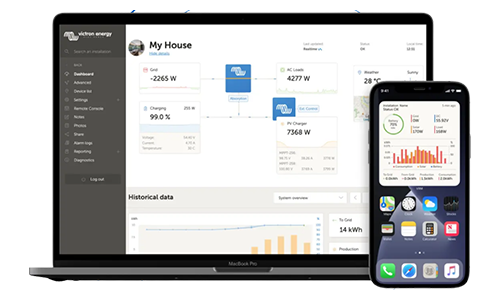
With the Victron Remote Management Portal (VRM), you can centrally monitor and manage your Victron energy systems via the internet, whether you have a single installation or multiple sites. This requires a GX device with an internet connection to collect the system data and transmit it to the VRM Portal. You can then use a web browser or the VRM app for iOS and Android to access current measurements, historical data, alarms and other system information, as well as remotely operate supported functions.
- Purpose: Centralised remote monitoring and management of multiple Victron systems via the internet
- Requirements: Compatible GX device with an internet connection to collect system data and transmit it to the VRM Portal
- Access: VRM web portal or the associated VRM app, accessible via Victron cloud accounts
- Functions:
- Remote monitoring of system status (voltages, currents, temperatures, state of charge) across multiple installations
- Historical data and trends (logs, graphs)
- Device group management, alarm and notification settings (email, push notifications)
- Remote updates and remote diagnostics (depending on the system configuration)
- Documentation of installation sites, logs and reports
- Platforms: Web browser and mobile apps (iOS/Android) for VRM access
- Applications: Monitoring (e.g. multiple installation sites), remote maintenance, alarm management and centralised status overview
- Internet dependency: Internet access to the VRM Portal is required to access data and functions
Individual Control and Integrated Protection Functions of the Inverter 12/2k5 230V Smart
In addition to convenient operation via VictronConnect, the Victron Inverter Smart offers further options for individual control and integration into existing battery systems. External switches, suitable control contacts and the programmable relay allow various functions to be adapted to your requirements. At the same time, integrated protection functions monitor important operating conditions and can trigger a warning or shutdown in the event of an overload, unacceptable battery voltage or other faults.
External Remote On/Off Connection and Programmable Relay
Independently of control via VictronConnect or the VRM Portal, the inverter has a separate remote on/off connection. This allows you to switch the device on and off using an external switch, a suitable relay contact or a compatible Battery Management System (BMS). The inverter can therefore also be automatically integrated into existing control systems.
The programmable relay also offers additional options, such as:
- Forwarding warnings and alarm signals
- Indicating low battery voltage
- Controlling an external fan
- Integration into a suitable generator start/stop control system
Integrated Protection Functions
The Victron Inverter Smart features integrated protection functions that can trigger a warning or shutdown under unacceptable operating conditions.
These include:
- Short-circuit protection at the AC output
- Overload protection
- Battery undervoltage protection
- Battery overvoltage protection
- Overtemperature protection
- Detection of external AC voltage at the output
- Protection against excessive DC ripple voltage
Three 12V Victron Inverters in Direct Comparison
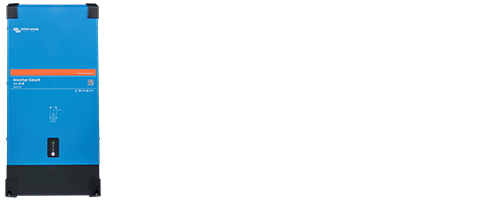
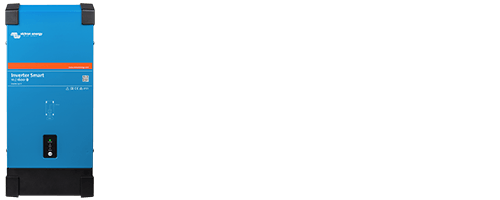
Note: Further technical specifications for the devices listed in this comparison can be found on the respective product detail pages under the "Technical Data" tab or in the operating manual under the "Download" tab.
Scope of Delivery
- 1 x Victron Inverter 12/2k5 230V Smart | PIN122251000
- 1 x Wall mounting bracket
- 5 x Mounting screws
Frequently Asked Questions About the Victron Inverter 12/2k5 230V Smart (FAQ)
How much continuous output power does the inverter provide?
The continuous output power is 2400W. At higher temperatures, the available continuous output power decreases. In addition, up to 2500W for 2 hours or 3200W for 15 minutes is available during a cold start. The short-term peak power is 4000W for up to 5 seconds.
Which battery types are suitable for the inverter?
The inverter can be operated with suitable 12V lithium batteries as well as lead-acid batteries, including gel, AGM, OPzV and OPzS batteries.
To utilise the inverter's full output power, the batteries must have sufficient capacity and be able to supply the required discharge current. For lithium batteries, the Battery Management System (BMS) must also be rated for this current. In addition, the battery cables must have a sufficient cross-sectional area.
What battery capacity does Victron recommend for the inverter?
Victron recommends a battery capacity of 400–1200Ah for the Inverter 12/2k5 230V Smart to utilise its full output power. The battery cables must have a sufficient cross-sectional area. Victron recommends external protection with a 400A fuse for connecting the inverter to the battery.
Can I control the inverter using my smartphone?
Yes. Integrated Bluetooth enables a direct connection to the free VictronConnect app. You can use it to view operating information, configure settings and switch the inverter on or off. Warnings and alarms can also be displayed. However, the app does not send background notifications when it is not open in the foreground.
Can I also monitor the inverter remotely via the internet?
Yes, with additional hardware. The inverter can be connected to a Cerbo GX or Ekrano GX, for example, via the VE.Direct interface. When the GX device is connected to the internet, the corresponding monitoring information is also available in the Victron Remote Management Portal (VRM). Alternatively, a GlobalLink 520 can be used. The necessary communication devices and connection cables are available separately.
What happens if the battery voltage becomes too low?
The inverter monitors the battery voltage and automatically shuts down when it falls below the configured threshold to prevent excessive battery discharge. The shutdown and restart voltage thresholds can be individually configured using the VictronConnect app.
Can the inverter charge my battery?
No. The Victron Inverter Smart is a standalone inverter without an integrated battery charger. It converts the DC voltage from your battery into 230V AC power. A separate, suitable battery charger or charging system is required to recharge the battery.
Can I switch automatically between shore power and inverter operation?
The inverter does not have an integrated automatic transfer switch. However, an external transfer switch allows automatic switching between shore power and inverter operation.
Suitable solutions include the FraRon ATS16 mains priority switch or the Victron Filax 2.
Important: The ATS16 is suitable for 50Hz only. The Filax 2 supports 50Hz and 60Hz in the appropriate version.
What is the difference between VictronConnect and the VRM Portal?
VictronConnect allows you to monitor, configure and control the inverter locally via Bluetooth or a suitable USB connection. In contrast, the VRM Portal enables remote monitoring via the internet, including historical data and alarm messages. Additional communication hardware is required for this, such as a GX device with an internet connection.


